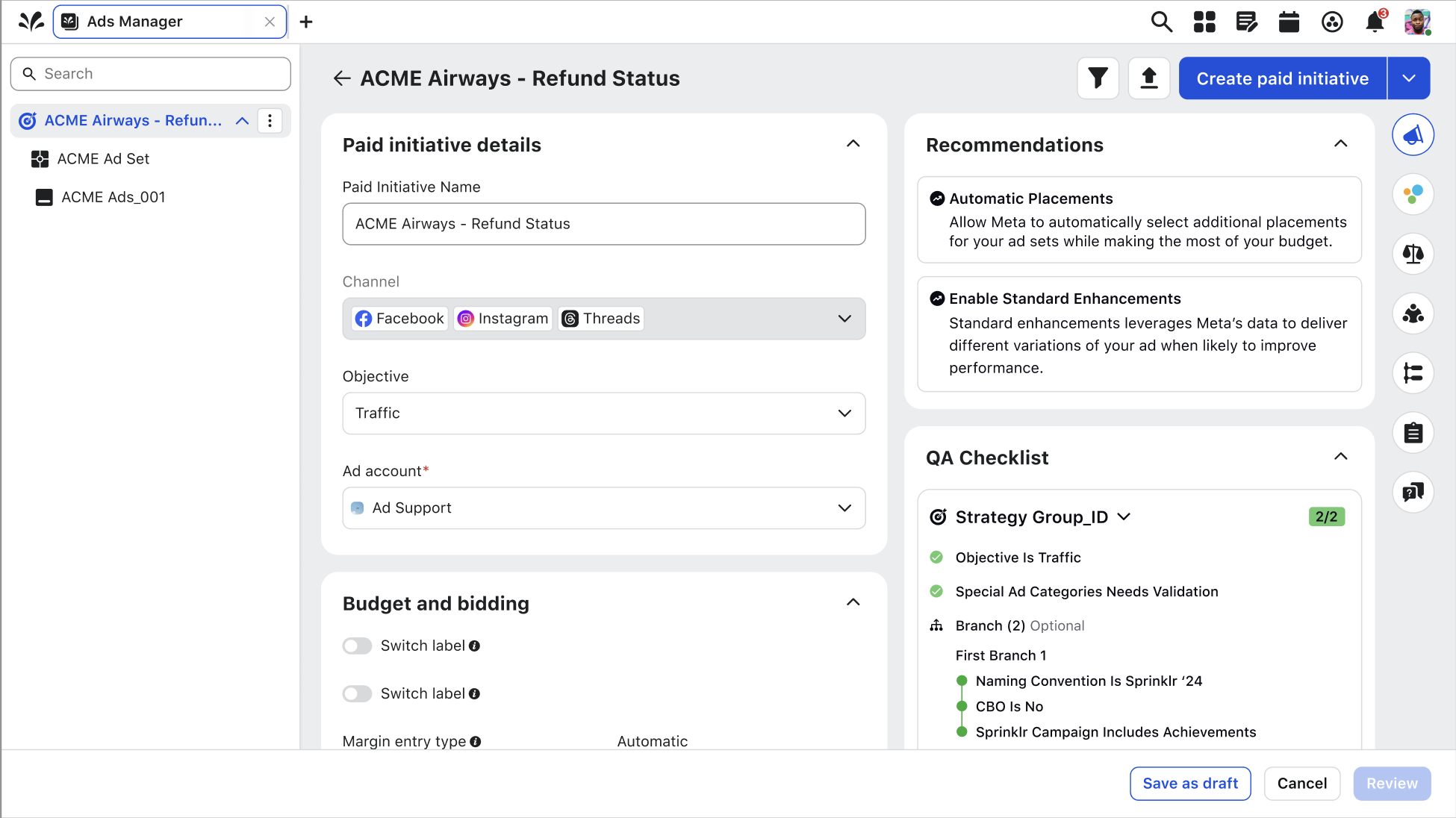
Creative AI
Revolutionizing content creation using Sprinklr AI. Enables users to generate and edit images based on prompts — turning hours of creative work into seconds.
- Role
- Lead Product Designer
- Contributors
- Product Manager, UXR, Devs
- Platform
- Desktop Web
- Timeline
- 6 months
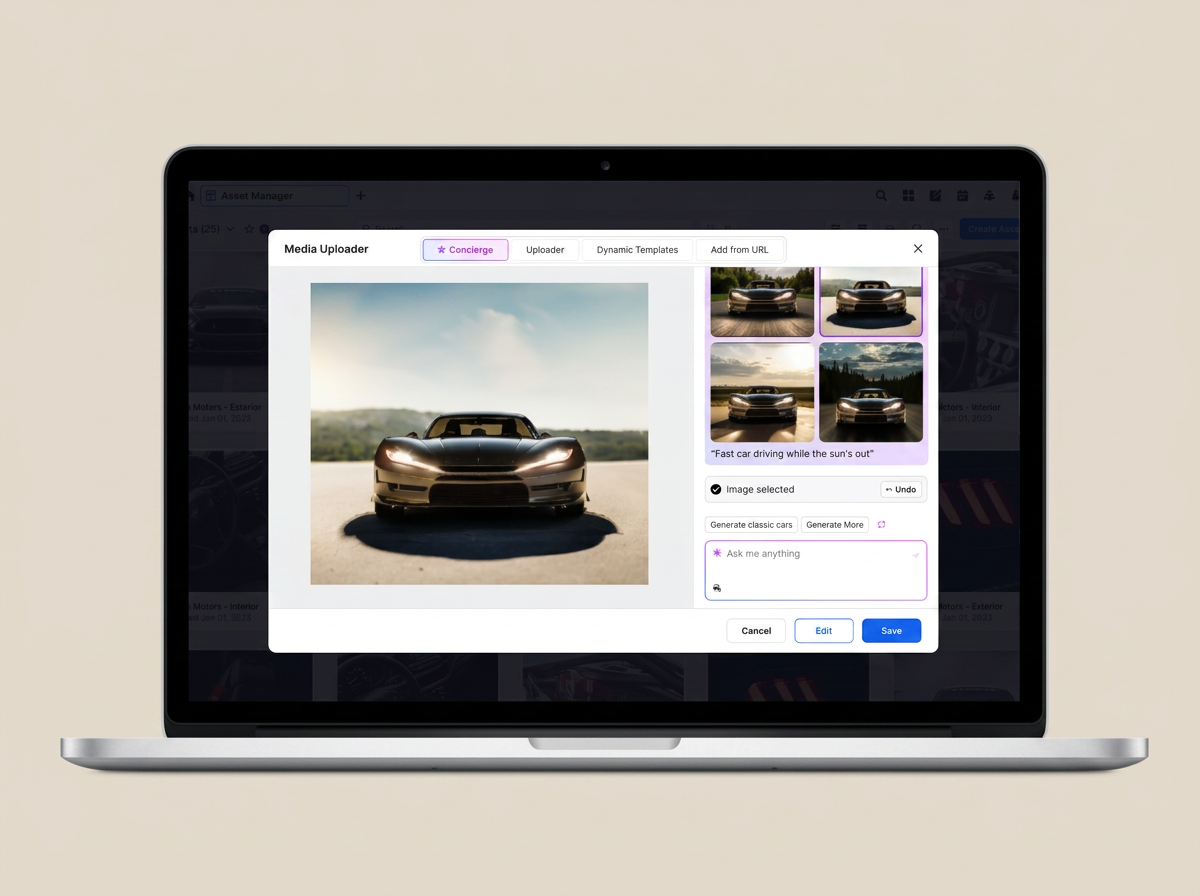
Advertisers lacked AI-powered tools to create campaign visuals.
Advertisers in the platform lacked AI-powered tools to generate or edit visuals. Without this key feature, users had to rely on external tools outside of Sprinklr to produce campaign imagery — which slowed down campaign creation and made it harder to quickly test and iterate on visuals.
Give advertisers a native way to generate realistic ads.
For advertisers utilizing our module, they are looking to generate realistic ads to capture their respective users. They would like to do so by either following a channel, post, or placement specific custom prompt, or provide a reference image from their repositories to the generator as reference.
As a user
- I should be able to generate a series of images based on the text prompt
- Generate new variants of images based on the same text prompt
- Add a reference image
- Able to add effects to an image
Understanding personas and competitive landscape.
Collaborated with our UX Research team on understanding the user personas and diving deeper into competitive research with the primary goal to evaluate and compare the UX/UI of leading text-to-image AI platforms (Microsoft Designer, Canva, Adobe Express).
The research was meant to not only dive into primary and secondary use cases, but to identify main personas like Content Creators, and seek to uncover potential new user groups. The insights found culminated in actionable recommendations, targeting both functionality and UX enhancements to help facilitate the integration of DALL-E into Sprinklr products.
Key Findings
AI Misclassification
Complex Backgrounds and Similar Characteristics: AI difficulties with intricate backgrounds and similar color/texture.
Inadequate Training Data: Limited diversity in the training dataset.
Specificity in AI Training: Inadequate training to differentiate products and backgrounds.
Explainability and Interperability: Enhancing AI model interpretability and explainability aids the team in identifying areas for improvement more effectively.
Competitive Analysis
Auto Background Removal - Auto background removal is almost ubiquitous with the competition, but doing it in bulk and doing accurately is where the tools tended to differ.
Background Library - Replacement of backgrounds both individually and in bulk aired amongst the tools with a common theme of a library of colors and images being available.
Background Image Generation: Generating replacement background images was not as common with the tools, but the tools that did offer this it worked fairly well. However, none of the products had bulk editing capabilities.
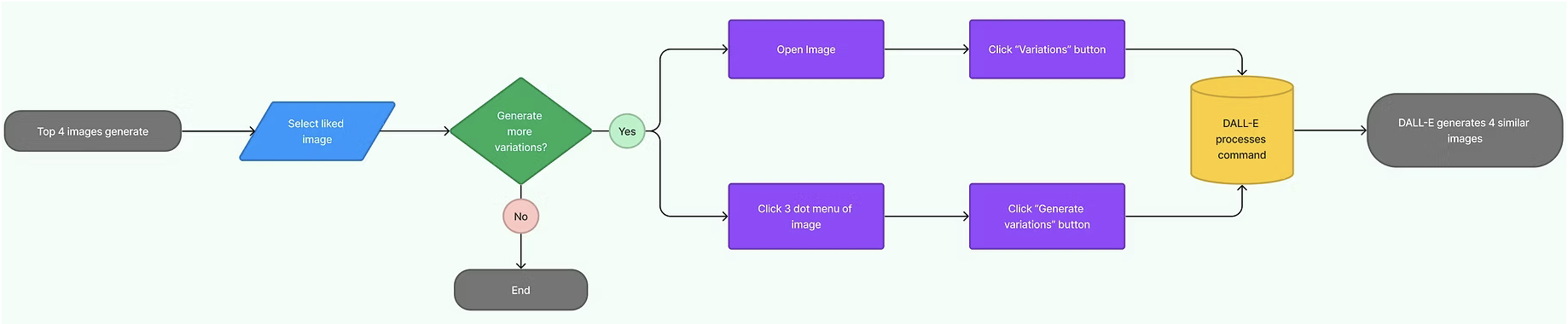
Mapping the user's workflow.
Created a journey map to understand the users workflow they would follow to generating images based off a prompt.
Exploring potential avenues for the new AI feature.
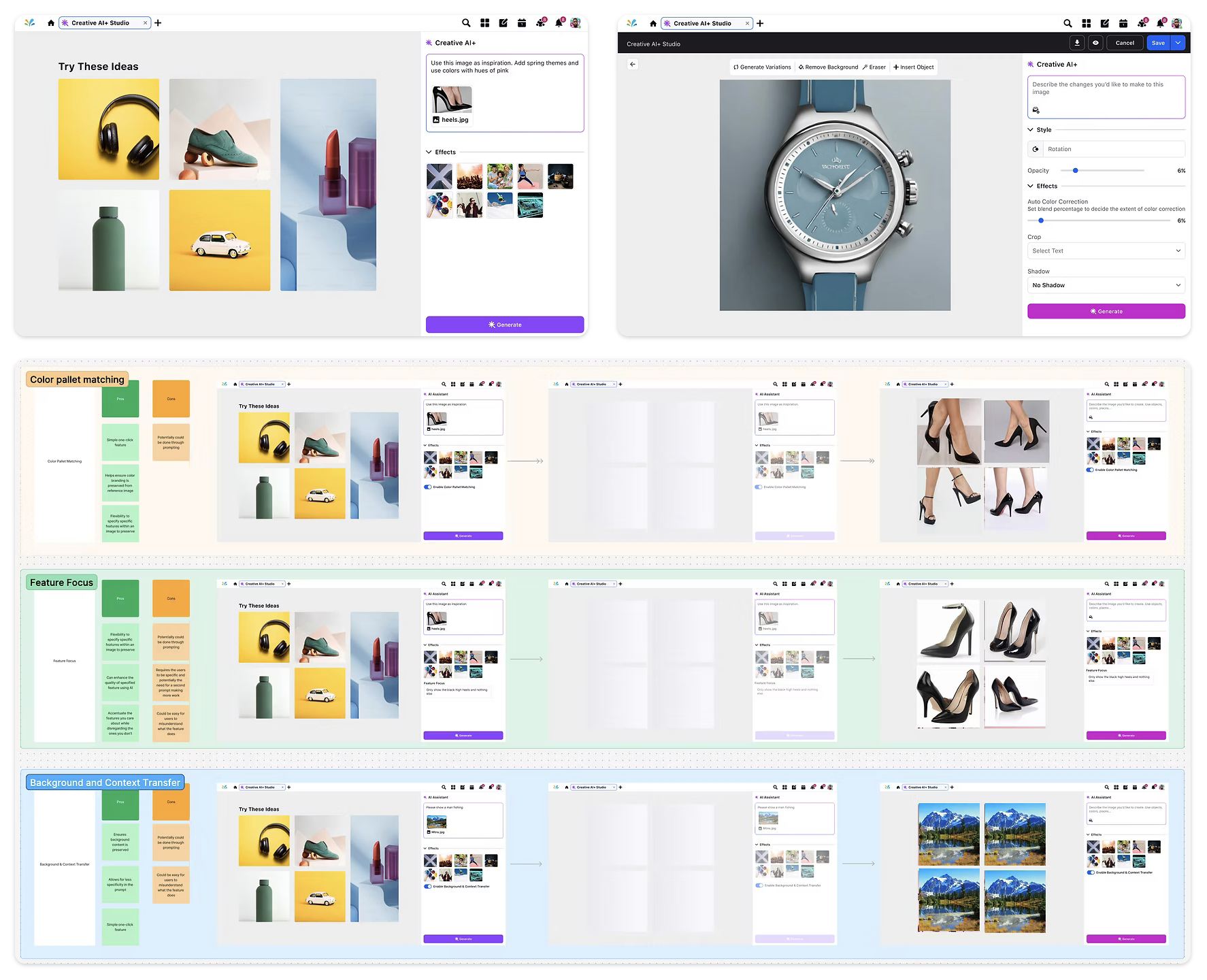
I began working on design explorations that are potential avenues we can look at when creating this new AI feature into our platform. Our first high fidelity design aims to solve the purpose of enhancing our Sprinklr AI+ tool by allowing users to generate and edit images for products in bulk, making the process efficient and time-saving.
After receiving feedback from internal stakeholders, we needed to explore the option of showcasing the AI prompt inside the modal during creation. This is how users are beginning their workflow in Sprinklr, of either selecting an existing image or utilizing the AI functionality.
Bringing Creative AI+ to life.
After explorations, challenges, and feedback received, we finalized the designs for our Creative AI+ that answers the use cases, requirements, and aligned all stakeholders, providing an exceptional user experience that is enjoyable and easy to use.
Asset manager entry
User begins their Creative AI+ journey in the asset manager screen, where they click into "Image" to begin utilizing the feature.
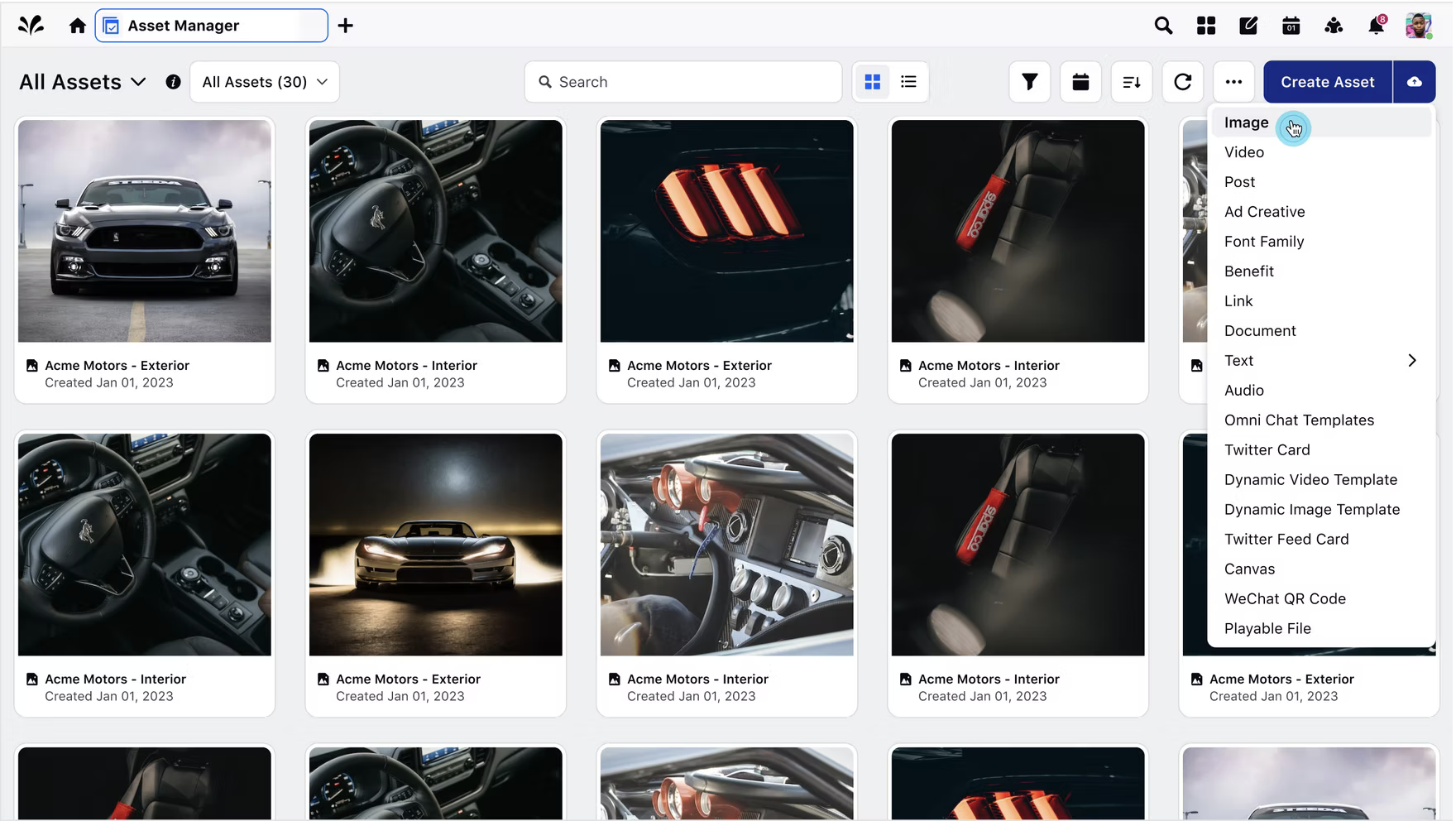
Image generation modal
User has opened the modal for image asset where they are able to begin inputting a prompt or utilizing shortcuts to create an image generation.
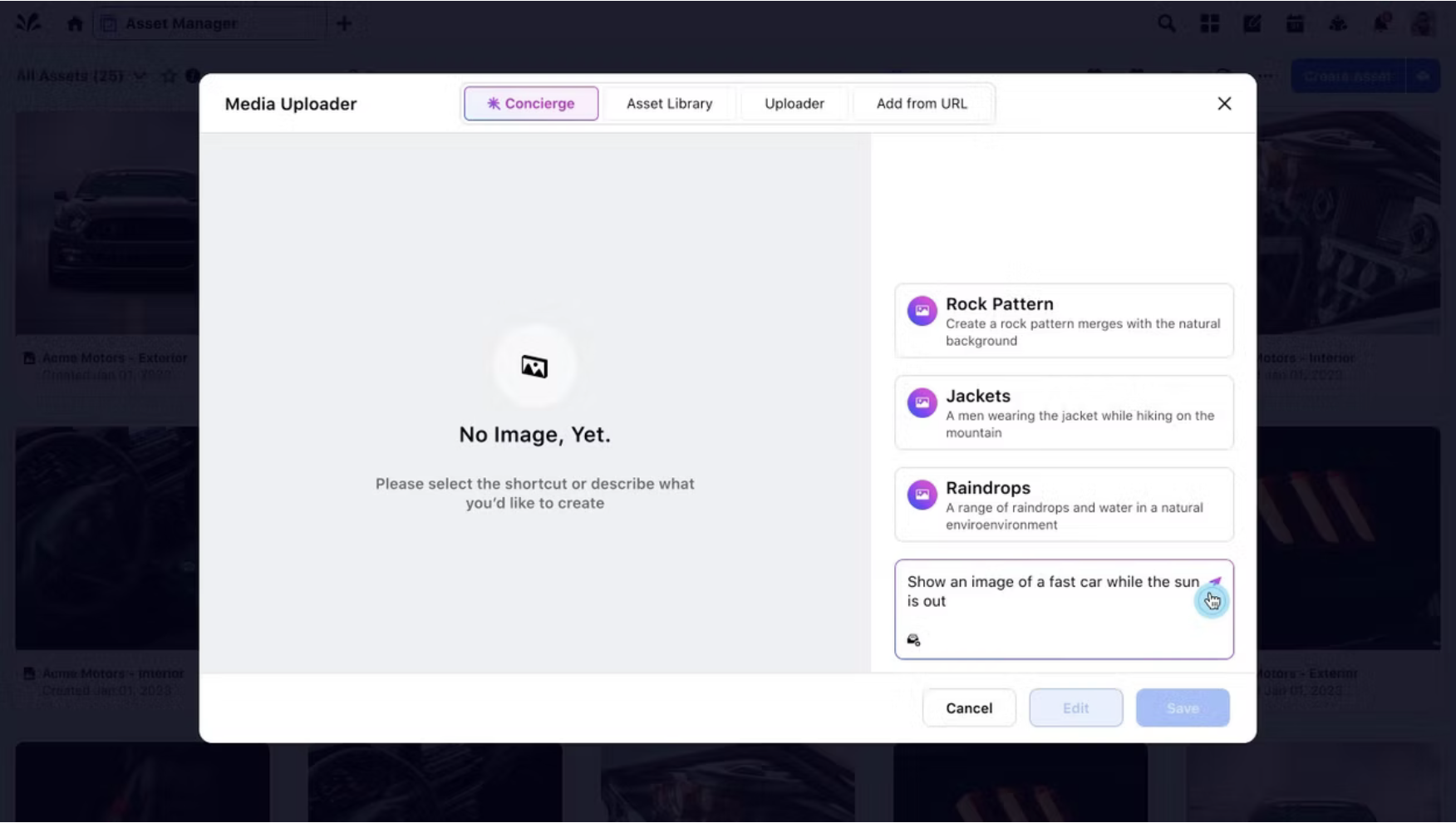
Prompt-driven creation
User has entered in a text prompt that enables AI to begin generating their request. This will provide them with 4 useful images to select from.
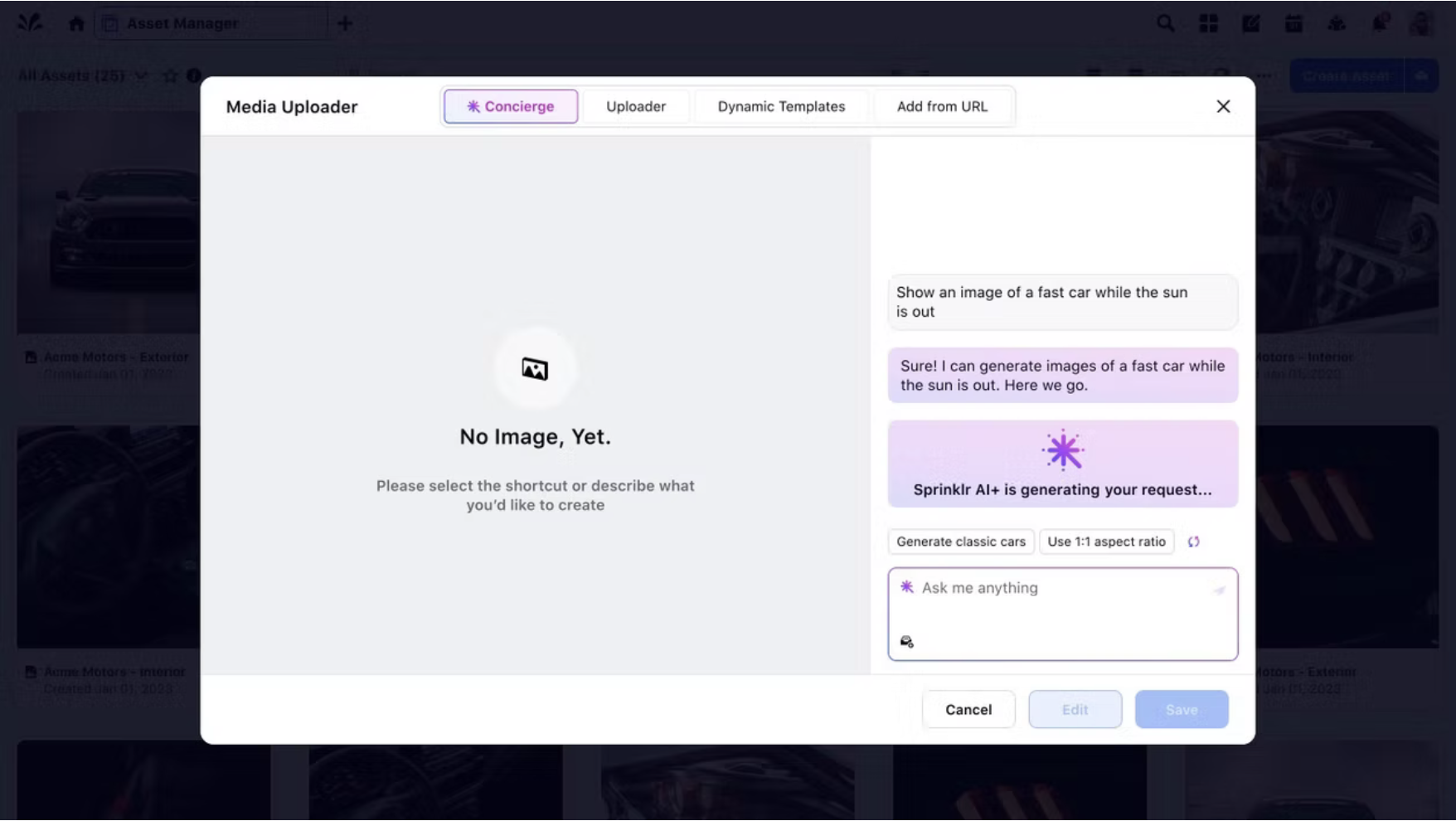
Variants & choices
A variety of 4 images populates for you to choose from based off the prompt, which you can either select one or generate more. We also provided an option to select "variants", that render different images to the one you liked.
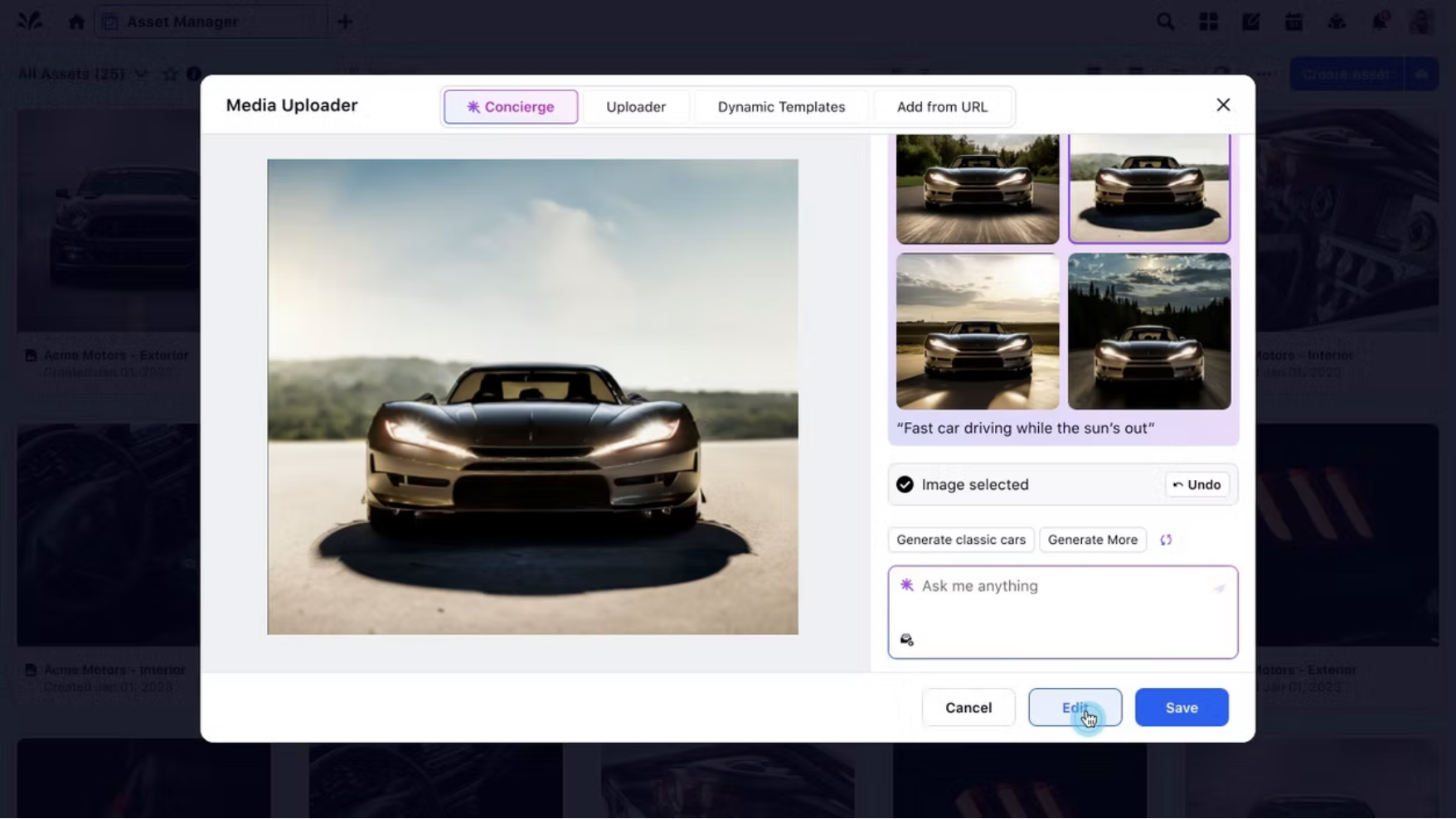
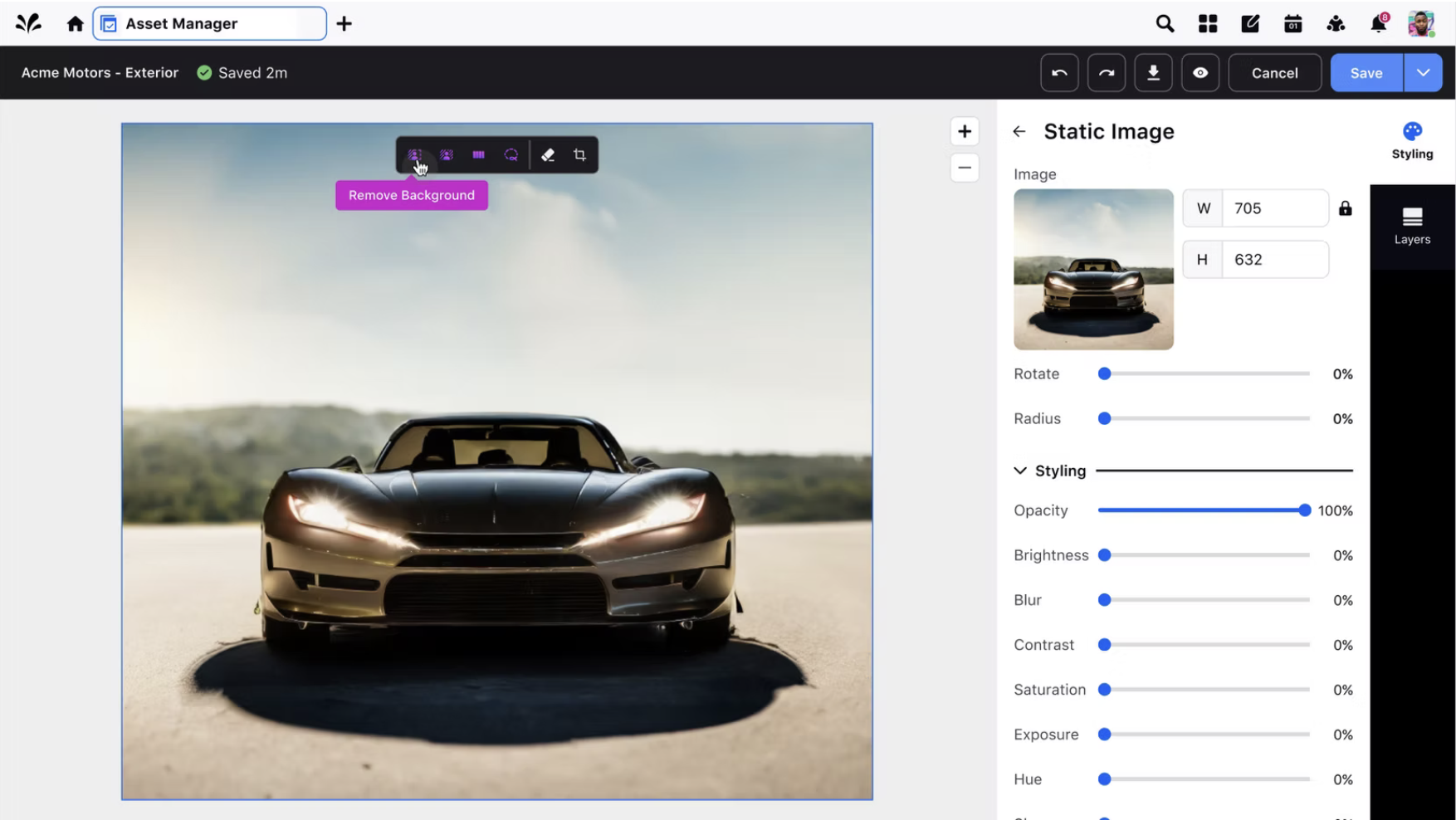
Intuitive AI editing
Once user has selected an image to edit, they are presented with intuitive AI features such as remove and replace background.
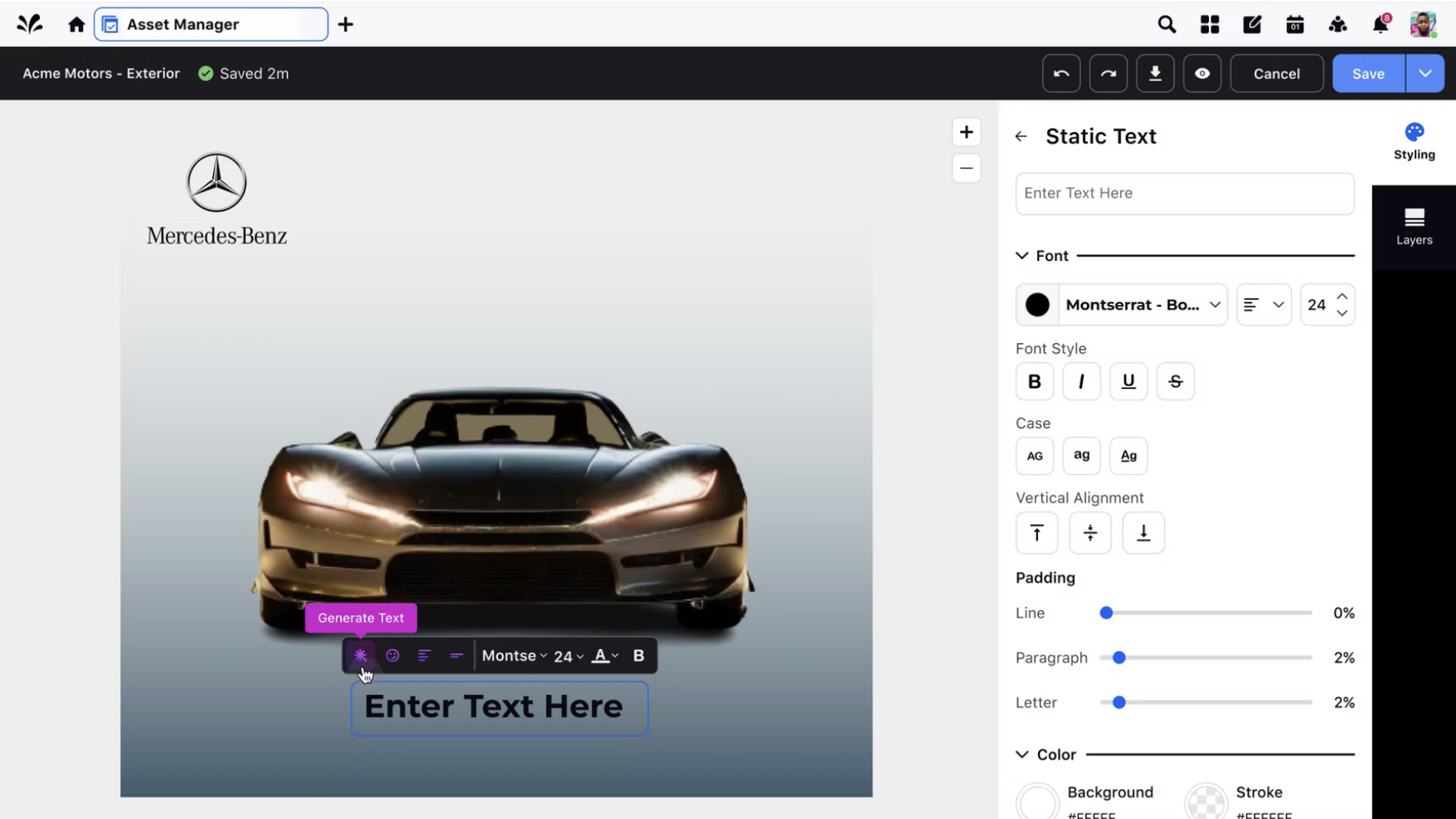
AI-generated text overlays
Another AI feature included is the generation of text, providing great usage for users that need assistance in finding a text that works for their image.
What we navigated together.
As a team we faced an array of challenges that helped us learn, adapt, and collaborate to create the best user experience possible. Some challenges that were faced throughout this process were:
Design iterations
Building out an entire new product for AI, we had to go through design iterations, daily syncs to make sure it aligned with all teams (Leadership, Product Management, Developers).
Dev constraints
One challenge that we needed to keep in mind was model limitations and prompt understanding. With the timeframe we had to work with and working with developers on what can be implemented, we had to change the scope on some features (generative fill), as this would take more time to support this feature.
UI Elements
With this new feature we were designing into our platform, we had faced challenges on how the UI elements were going to appear and checking our components and coloring met guidelines.
What did I learn?
- Generating prompt-based systems need user experience guidance, when new users come in to utilize this AI feature for the first time its imperative to incorporate examples, contextual hints to help reduce friction and improve the outcomes our users are looking to achieve.
- Strong cross-functional collaboration was key. Working closely with my product managers, ux researchers, and developers helped define technical guardrails, and include helpful tools that shapes the user experience to be intuitive and user-friendly.
With more time, I would add brand style guidelines to help users stay aligned with their brand standards, and push the AI capabilities forward by introducing video generation.